Cloudflare response header transform rules
I serve Python files from my tools.simonwillison.net subdomain, which is a GitHub Pages site that's served via Cloudflare. For example:
https://tools.simonwillison.net/python/q3_tts.py
This is meant to be used with uv as described here:
uv run https://tools.simonwillison.net/python/q3_tts.py \
  'I am a pirate, give me your gold!' \
  -i 'gruff voice' -o pirate.wav
By default files with .py extensions are served with a content-type: application/octet-stream header. This means browsers will download them rather than displaying them directly to the user.
For code that you're going to execute on your machine it's nice to be able to preview it in your browser first!
Here's that default content-type header:
~ % curl -I 'https://tools.simonwillison.net/python/q3_tts.py'
HTTP/2 200
date: Fri, 23 Jan 2026 14:52:54 GMT
content-type: application/octet-stream
I can't control how GitHub Pages serves files, but since the site is behind Cloudflare I can fix the problem there instead.
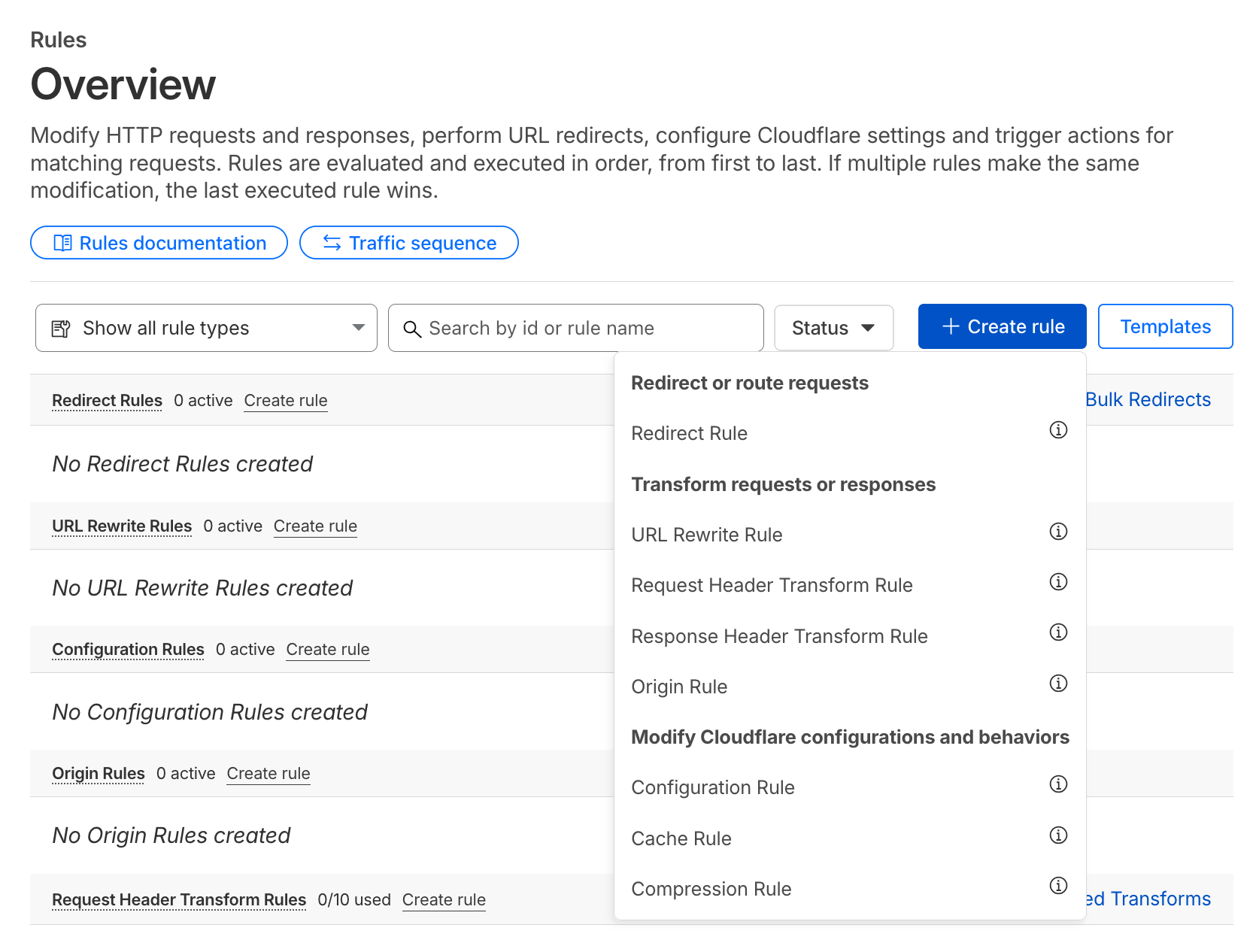
The area to look for here is called "Rules". Within that area the "Create rule" button has an option to create a "Response Header Transform Rule":
I created a rule that looks like this:
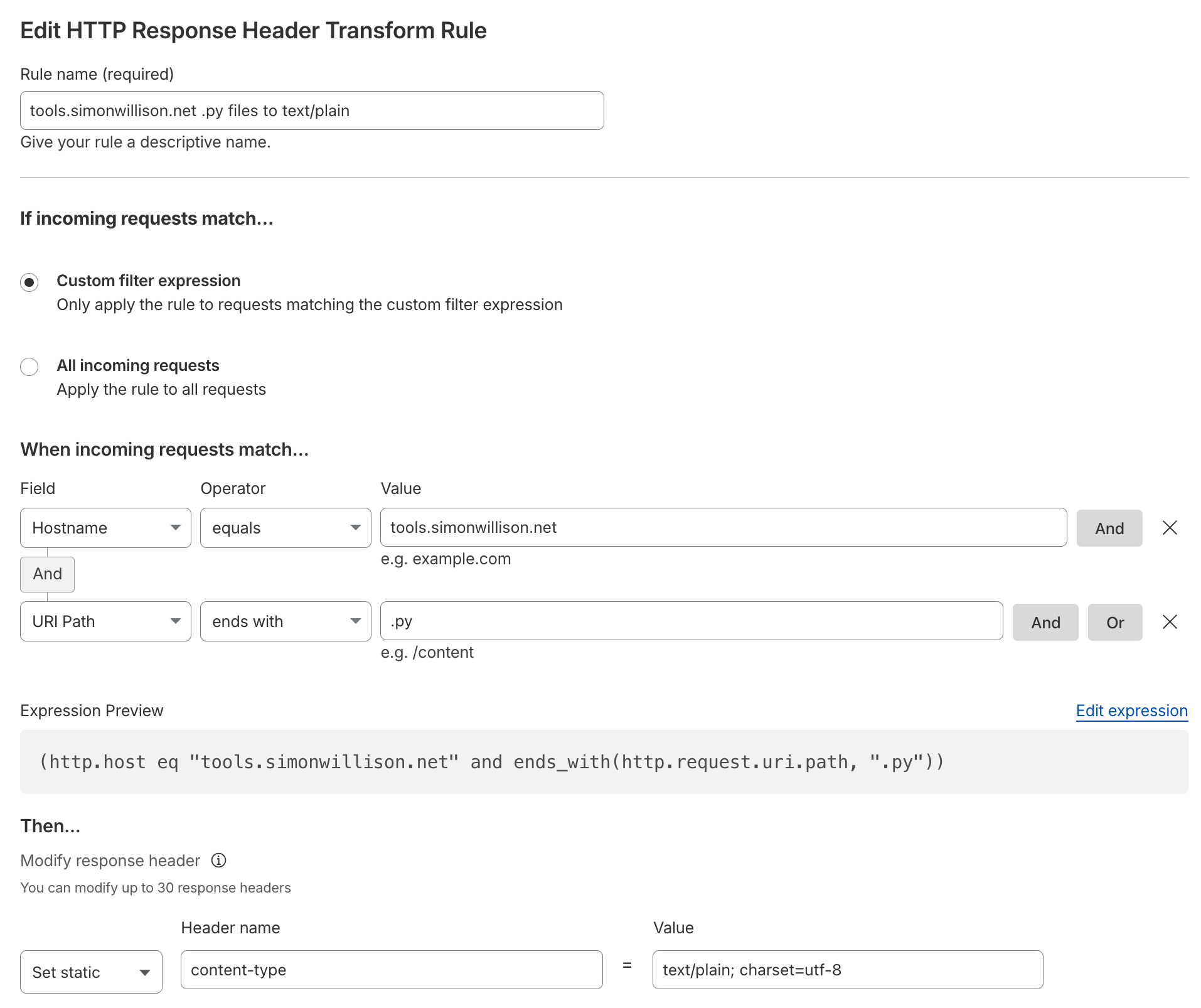
My new rule has the following settings:
-
Rule name:
tools.simonwillison.net .py files to text/plain - When incoming requests match: Custom filter expression
-
Filter expression:
- Hostname equals
tools.simonwillison.net - AND URI Path ends with
.py
- Hostname equals
-
Then:
- Set static
content-typetotext/plain; charset=utf-8
- Set static
I clicked 'Deploy' and within a few seconds saw this result:
~ % curl -I 'https://tools.simonwillison.net/python/q3_tts.py'
HTTP/2 200
date: Fri, 23 Jan 2026 14:52:58 GMT
content-type: text/plain; charset=utf-8
And now https://tools.simonwillison.net/python/q3_tts.py displays the Python code directly in my browser.
Created 2026-01-23T07:08:25-08:00 · Edit